Retail Widgets
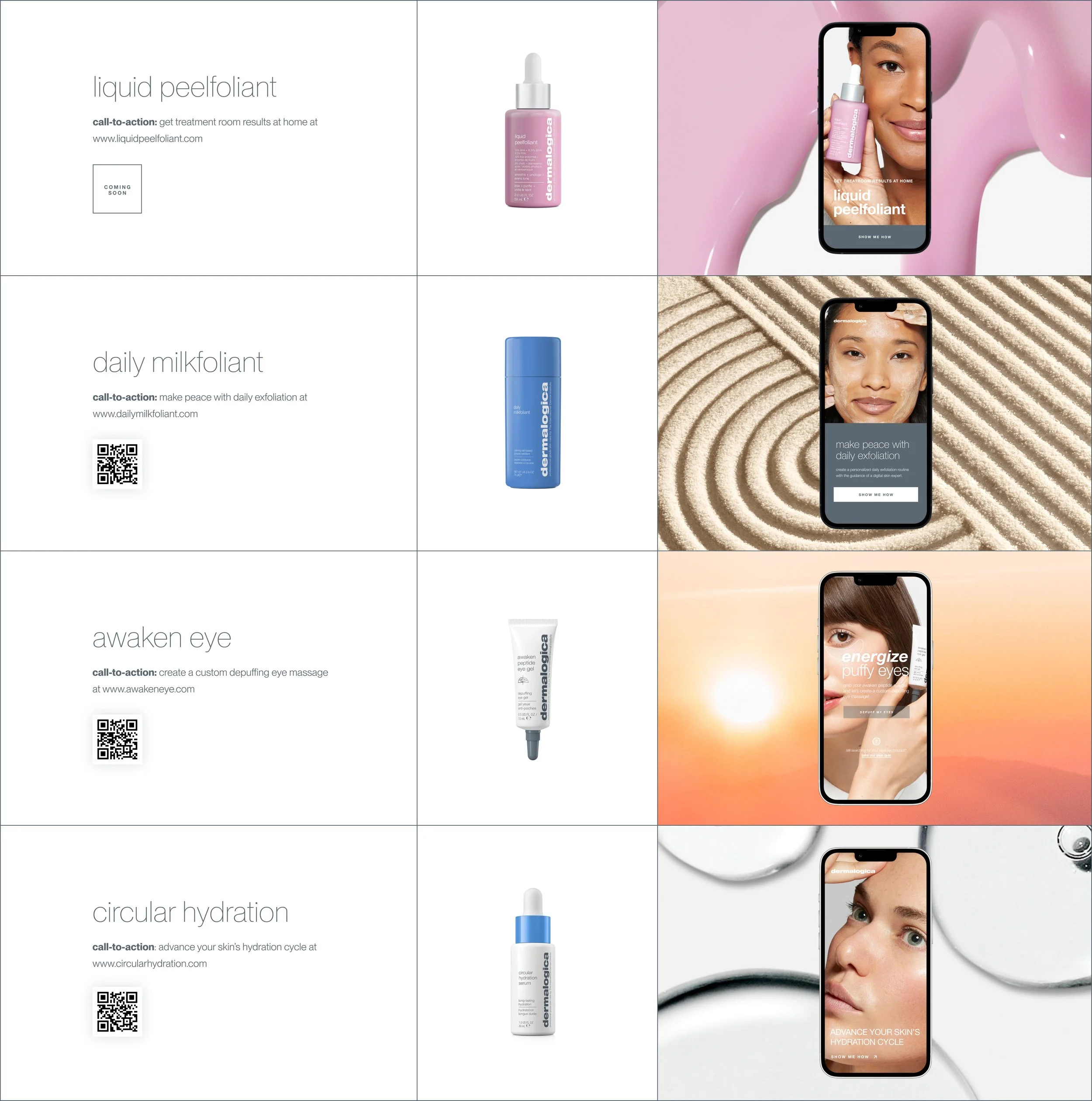
Retail widgets are playful and equally powerful digital touch points created in support of new skincare product launches. Embedded on Dermalogica sites and translated into over 30 different languages, widgets have reached millions of customers worldwide.
Background
Every year Dermalogica launches new “A-level” products. In support of these global launches, our team creates digital touchpoints that add a layer of education and personalization to the consumer buying journey. We call these touchpoints Retail Widgets.
These novel experiences provide value by answering specific questions for our consumers, like “is this product right for me?” and “what does my skin need right now?’ From a business perspective, they drive the acquisition and conversion of new customers.
During my time at Dermalogica, I designed and helped launch twelve widgets which have reached over one million people globally.
-
· Lead Product Designer
· Lead UX Designer
· Project Management -
Each widget typically takes two months to design, prototype and test. The development phase is 3-4 weeks long.
We make 3-4 widgets a year.
How and why we make widgets
In 2021, I gave a presentation about widgets at Dermalogica's LEAD International Education Conference. It was an excellent opportunity to highlight how these novel experiences' provide value to our customers while driving conversion, acquisition, and retention.
Feel free to watch my presentation to learn more:
Widget Discovery
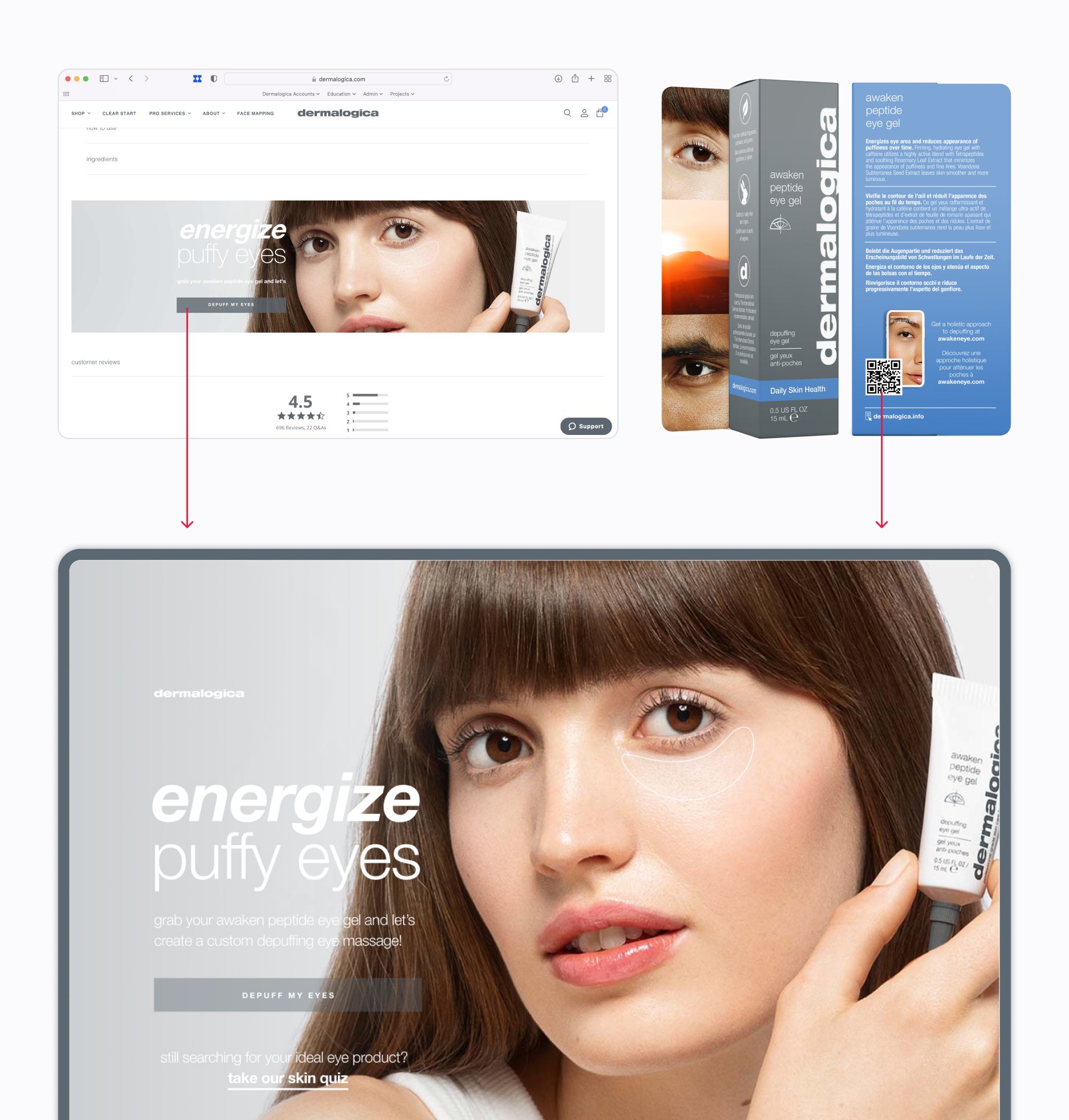
Customers can discover a widget in three ways:
They can scan QR codes printed on the respective product’s packaging.
We embed widgets on specific product detail pages across our dermalogica websites worldwide.
Skin experts promote them to customers during treatments.
The user is then guided through a unique journey, starting with a call-to-action that ties closely with the product campaign. In the case of awakeneye.com, is it “Depuff my Eyes.”
Meeting the customer where they are
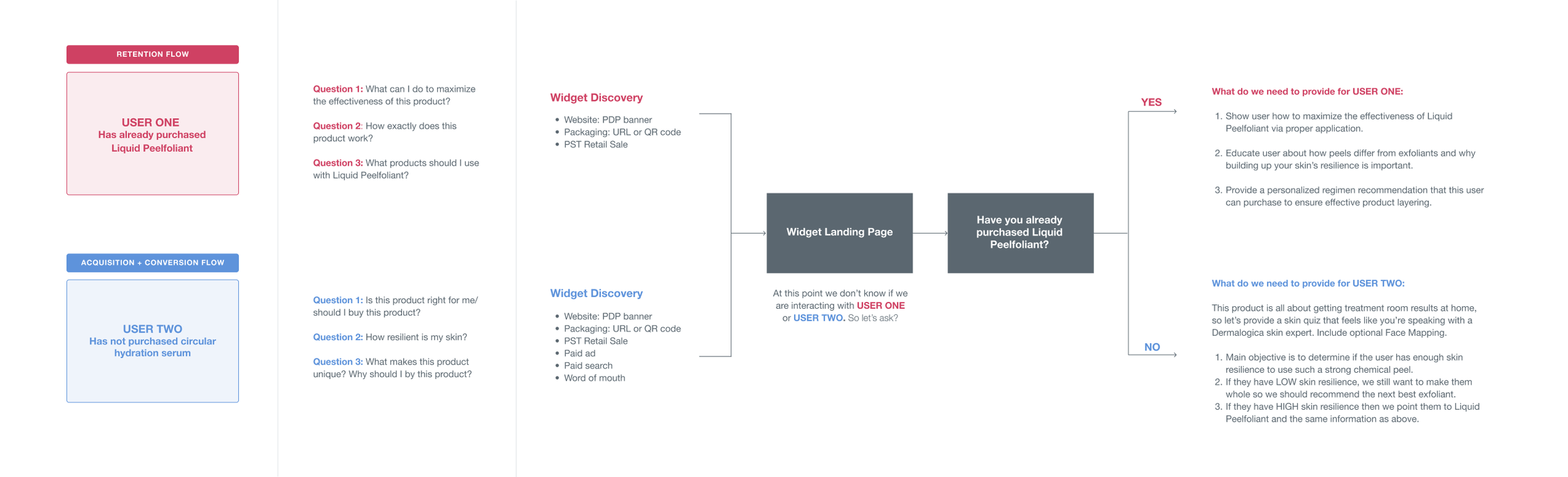
After discovering the widget, users move through an experience that aims to meet them where they are in their purchasing journey. It is almost impossible for us to gauge intent when someone arrives at a widget landing page, so we had to design for two critical use cases:
Retention: This customer might’ve scanned the QR code in their bathroom after purchasing the product. How do we provide value for them? What unique questions does this person have?
Acquisition and conversion: This customer might’ve scanned the QR code in Sephora and may be in the consideration phase of their purchasing journey. How do we provide value for them? What questions does this person have?
The concept document (loose flowchart) and prototype below illustrate these pathways:
Clickable prototype
The prototype below illustrates the various user flows through a retail widget.

Retrospective
Retail widgets were some of my first projects as a junior designer. They were the perfect playground for me to poke, prod, test, and try all sorts of experiences with the ultimate goal of driving business and providing novel digital moments for our customers.
If I could change one thing, it would be our team’s widget workflow. Our small team juggles multiple products at any given moment, and sometimes it felt like we prioritized quantity over process and quality of the build. Part of my job is to express this to other stakeholders, which I am pleased to say I did with positive results.